Showing posts with label SatCom. Show all posts

Friday, 1 June 2018

Smartphone or Dedicated GPS?

When selective availability was switched off in 2000 there weren't any smartphones around let alone some with a good GPS module. If you wanted GPS navigation, you needed a handheld GPS receiver. Since then we've come a long way and modern smartphones have GPS as well as GLONASS modules on board. Their functionality is quite reasonable but there are still downfalls compared to dedicated GPS receivers.

In hiking forums you'll see a lot of smartphone-fan-boys and there's nothing wrong with leaving your GPS unit at home as long as you know the limitations and consequences of your choice. Funny enough that doesn't seem to be always the case and there is an increasing number of lost hikers who purely relied on their phone for navigation.

In order to make things a bit more readable I'll write phone if I mean smartphone (e.g. iPhone) and GPS unit if I mean a  dedicated handheld GPS receiver (e.g. Garmin etrex) so let's dive into it:

Battery Life

While newer phones have less thirsty GPS modules, they still can't compete with GPS units. The normal phone is pretty much dead after a few hours if the GPS is on and tracks you like a GPS unit would. However GPS units have a battery life up to 170 hours. Yes one hundred seventy - that's not a typo. Recharging a phone can get messy unless a phone where you can swap batteries but normally they're compromised regarding being splash or water-proof:
  • Flat battery with a GPS unit? No worries. Whack in two new AA batteries and you're up and running again.
  • Flat battery on a phone? Well get the power-bank out and charge it but make sure it doesn't get wet during the process. If it's raining, you just lost navigation.
There are strategies to extend the battery life of your phone on the trail. You can use the airplane mode, reduce screen brightness or the dedicated battery safe mode but they come at the cost of reduced functionality. On top of that if you get these wrong, you phone might be flat before you know it. An additional challenge for phones is cold weather. Some cope well but most don't. E.g. the iPhone 6s is known to crack the sads below 5°C and shut itself off without notice. In the end I want to keep my phone battery as fresh as possible in case I do need to call for help.

On a side-note: The new Garmin inReach Explorer+ has a completely insane battery life. On the recent flight from Europe back home I left it on to see how long it will last. Well it did the whole 27h - yes twenty-seven hours - with 20% battery left at the end. Keep in mind that includes firing up the satcom module every 10 minutes and uploading data to the satellite network. If you're a bit conservative with your satcom, this can be stretched to 100 hours. 

Battery Life Winner: GPS unit

Durability

This is straight forward: Most smartphones are still fairly fragile and without an additional case, you're very likely to install the "spider-app" on your phone. I managed to kill multiple phone screens in my life so any new phone gets a lifeproof case by default. While you can still smash the screen of a GPS unit, it's a bit of a challenge especially if you don't have a unit with a touch-screen.

However the bigger advantage of GPS units is they're waterproof. I don't know how many times I dropped one of those in a creek or a puddle but they always survived because that's what they were designed for. 

Durability Winner: GPS unit

Accuracy

A couple of years ago there was actually a difference in accuracy however that is not the case anymore. Phones have caught up with GPS units and they can be considered equal for the task of outdoor navigation. Although you might not realise it, a lot of phones and GPS units already utilise the Russian GLONASS system as well which increases accuracy even further. The European Galileo system will be operational next year with a further improved accuracy. The Samsung Galaxy S8 and the iPhone 8 can already receive and use the Galileo signal.

Accuracy - That's a draw

Mapping

Depending on your phone's app it's more or less easy to get a map on the display. This is in general an advantage over GPS units. However if you're a nerd like  me, it's not that hard to have multiple maps and profiles set-up in your unit. The quality of maps varies widely for both phones and GPS units. You can spend a lot of money on that or just use open street maps which are available as offline maps for every phone and as map files for Garmin devices. 
However in terms of screen resolution and display size the good old paper map is pooing all over phones and GPS units. You need it as a backup anyway and who doesn't like opening a map & imagining the future adventures ahead?

Mapping Winner: Phone 

Functionality

Today's GPS units have a lot of standard function you can't find in every phone app. Switching between different coordinate systems and map datums is a classic one. Loading GPX files, waypoint averaging, back-tracking, proximity alerts or various compass functions are just some of them. 
Since I'm already speaking about functionality, I have to mention touch screen - especially capacitive screens. We love them on our phones since we normally use them in well regulated conditions however they are not exactly great in the rain or snow. If you intend to go out in harsh environments, your iPhone 8 in an Otterbox will survive like the etrex 35 will. However both will be an absolute pain to operate so you might as well buy a good unit with buttons e.g. a GPSMAP 64

Functionality Winner: GPS unit

Conclusion

Neither a phone nor a GPS unit are bullet proof and you still need to be able to navigate in less than ideal conditions with a map and a compass. If you are relying on technology for outdoor navigation, you're doing it wrong.

Personally I would only leave the GPS unit at home when the need for in-depth navigation is minimal which are in general short day trips. If you're going out into rougher terrain, offtrack, in the snow or other adverse conditions, there could be the need to back-track. Sometimes the only why out is to go back the way you came. You'll find this basic feature in every GPS unit while phones can do that as well but not without chewing through the battery in no time. And if you didn't record your track, there's nothing to follow. It's just an additional ease of mind to know the GPS is running in the top of my pack and I can get it out if I need it. 

Basically be proficient at map & compass navigation and then use whatever you want.

Cheers 😋
Philipp

Monday, 12 February 2018

When to use a PLB


This article was written for Argus - the member's magazine of the Victorian Climbing Club


Before I get into the details, I have to clean up a couple of fairy tales:

Magical Phones

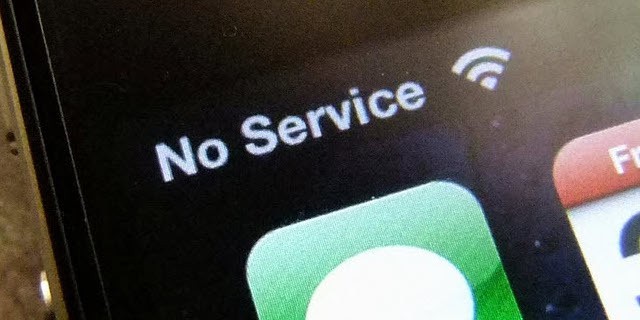
If you see the "No Service" or similar on your phone, that's pretty much it. Your phone is as useless as your coffee cup or a brick. NO! Neither of them will magically turn into a satellite communication device. I see that proposed in hiking forums all the time but it's a myth.

All SatCom devices work - NOT

All PLBs/EPIRBs* have very limited function - "I need help! I'm here" - but they do it very well. They are cheap and very reliable. You can't go wrong with any model. However if you need a bit more function, you got a couple of options for off-grid (emergency) communication
  • Satellite Phone >> Not so cheap but great functionality
  • Garmin inReach  >>  two-way satellite messenger and tracker 
  • Iridium Go >> Mobile data thingymebob
  • Old fashioned radio >> Can be a bit bulky, you need a licence and somebody listening on the other end
  • Spot Messenger >> Not an option! They are unreliable, Bogong Equipment took them off their shelves and the Victorian Climbing Club banned them as an emergency communication device. I can tell you a bunch of stories how the spot system failed. 
There you have it. Some of these units might leave you disappointed so choose wisely. 

I don't need emergency gear if I have a PLB - ERRRR! WRONG!

If you're that remote that you need a PLB, rescue is not around the corner. You can still die of that snake bite because you didn't bring any bandages, fall to your death because you didn't bring the self-rescue climbing gear or just freeze to death because you didn't bring the emergency bivy-bag.

If I call 000, they know my location - NAAAH MATE!

Sorry to break it to you but they might get the location of the closest mobile-tower you're locked onto but not your actual GPS location. If you're in rugged terrain and you're position is difficult to describe and/or you're not familiar with GPS, you can call 000 AND activate the PLB.
Pro-tip while you're on the phone: DON'T ASK FOR AN AMBULANCE! Ask for the police. They are the ones doing rescue operations > there's a specialised Police Search and Rescue unit based in Williamstown and you want them on the job without delay.

Right. All good? Let's get into it:

As the VCC Safety Cat, I recently bought two PLBs which live in the club's first aid kits. There's a manual which tells you how to activate them (flick open the antenna, slide down the red protective cover, press SOS button) ... but not when. AMSA simply states:
A distress beacon should be activated in situations of grave and imminent danger. This equates to when you feel you are facing a life threatening situation. This is a personal decision that is different for everybody.
Let me put that in different words: "Do you have the skills and training to extract the person in danger safely from the current situation?" Instead of giving you a complicated flow-chart and complicated decision making tool, let me run you through a couple of likely VCC trip scenarios. In all scenarios we assume there's no phone reception:

Snake Bite
You're at the base of Taipan Wall and Flopsy got bitten by a snake (pun intended).
✔ That's a no-brainer > press the button! Time is of the essence and using the PLB takes the Search out of Search And Rescue.

Ground Fall
Flopsy took a big whipper and hit the deck. You're not sure if anything is broken and/or he is pretty disoriented.
✔ Button! You don't know if there are any internal injuries. Don't wait for them to get better because these minutes can make a difference. As a matter of fact any suspected internal injuries is a clear indication of alerting emergency services asap.

Multi Pitch Bang
You're up a multi-pitch climb and Flopsy who is your second took a nice slip. Although physically he has nothing serious (a couple of scratches and bruises), Flopsy is pretty shaken and unable to continue the climb or abseil.
It depends:
❌ If you feel comfortable to perform a self-rescue and get both of you off the wall safely, there's no need to call for help.
✔ If you're not comfortable to do the self-rescue or think it will take too long or have any other doubt > button!

Ran out of fire-wood
Don't laugh! People have done that in the past but you're right the correct answer is:
❌ Don't push the button.

You stumble upon an unconscious person
That's straight forward: Even if they regain consciousness, there could be a million things wrong and it's important to get them to a hospital asap. You are
✔ pushing the button.

Rolled ankle
Your party is walking from / to the crag and is a fair distance from the trail-head. Flopsy rolled his ankle and can't continue to walk - seriously?! What's wrong with this guy. Getting hurt all the time!!
It depends:
❌ If you're in Summerday Valley and can carry him out, it's probably faster than waiting for the ambo.
✔ Deep down the south-face of Bogong is not good place to start hiking someone out. As a matter of fact you wouldn't be the first one air-lifted from that valley. Push the button

Injured Animal
You find an injured animal in a remote location.
❌ As heartbreaking as this might be - emergency services are for humans only.

I hope that gives you a good overview when to use these devices. Personally I prefer two-way communication since I can get confirmation my distress call has been received and I can provide the emergency services with valuable information. In certain cases it can also keep the helpers safe: If I roll my ankle in a snow-storm but I'm hunkered down and warm, I can tell the guys to wait until the morning / the storm has passed. There's no need to risk anything. On the other hand you can also tell them to hurry the f#$& up if required.

SAR steep snow and ice training

Keep your details updated

When you register any of these devices, you have to provide your contact details. This is important since they'll try to contact you first and figure out if it isn't an accidental activation - see below. Ideally you do that before leaving for every trip with a brief description what you're up to. In cooperation with Bushwalking Victoria and Trailhiking Australia the VCC is currently exploring  the feasibility of an online trip intentions form however it's only at early stages. 

Accidental activation

If your beacon is accidentally activated, switch it off immediately and contact the Australian Maritime Safety Authority (AMSA) on 1800 641 792. There is no penalty for accidental activation. Don't just turn it off because emergency services will assume your battery has gone flat and will continue the search.

A false alarm is a good alarm

As long as you're not calling for help for fun, nobody will give you a lecture or present you a bill**. As an active SAR member I'd rather find someone who suspected to have a broken leg and is fine than someone who had a broken leg, didn't call for help and died. Always remember: There's one basic rule:

In doubt, there's no doubt! Push the button! 

Some things we consider to be minor in an urban environment like bee stings, smaller fractures or simple exhaustion, can have severe consequences in the wild. Please call in the big guns before the situation gets FUBAR.


Cheers 🍻
Philipp the VCC Safety Cat 


* An EPIRB is technically almost the same as a PLB except it floats, has a bit more battery life and normally activates upon water contact. If you're doing any land-based activities and you use an EPIRB instead of a PLB, that's perfectly fine. I wouldn't recommend using a PLB on the water.

** Still make sure you have adequate ambulance insurance.